
Download Yahoo Site Builder – website builder, free website builder, create website, online website builder, no code website builder, web design tool, online tool, web builder, no code, create web page, online site builder
Overview
Yahoo Site Builder is a web-based application designed to empower users with no technical background to create professional-grade websites efficiently. Its primary purpose is to democratize web development by eliminating the need for coding knowledge, making it accessible to students, small business owners, hobbyists, and creatives. The app solves the common challenge of launching a website without requiring expertise in HTML, CSS, or JavaScript. By offering a guided, visual interface, it enables users to build functional and visually appealing web pages with minimal effort. Target users include individuals seeking to establish an online presence for personal projects, portfolios, small businesses, or community initiatives.
Yahoo, the developer, has long been a player in digital services, and Yahoo Site Builder reflects its commitment to accessible online tools. Although the developer did not provide additional technical details, the app’s release date of July 24, 2007, indicates a long-standing presence in the web creation space. This longevity suggests a stable, tested platform with proven utility. Real-world use cases include launching a personal blog, promoting a local event, or creating a simple e-commerce page for handmade goods. In the broader app ecosystem, Yahoo Site Builder occupies a niche as a lightweight, no-code solution for quick site deployment, especially valuable in environments where speed and simplicity are prioritized over advanced customization.
Key Features & Functionality
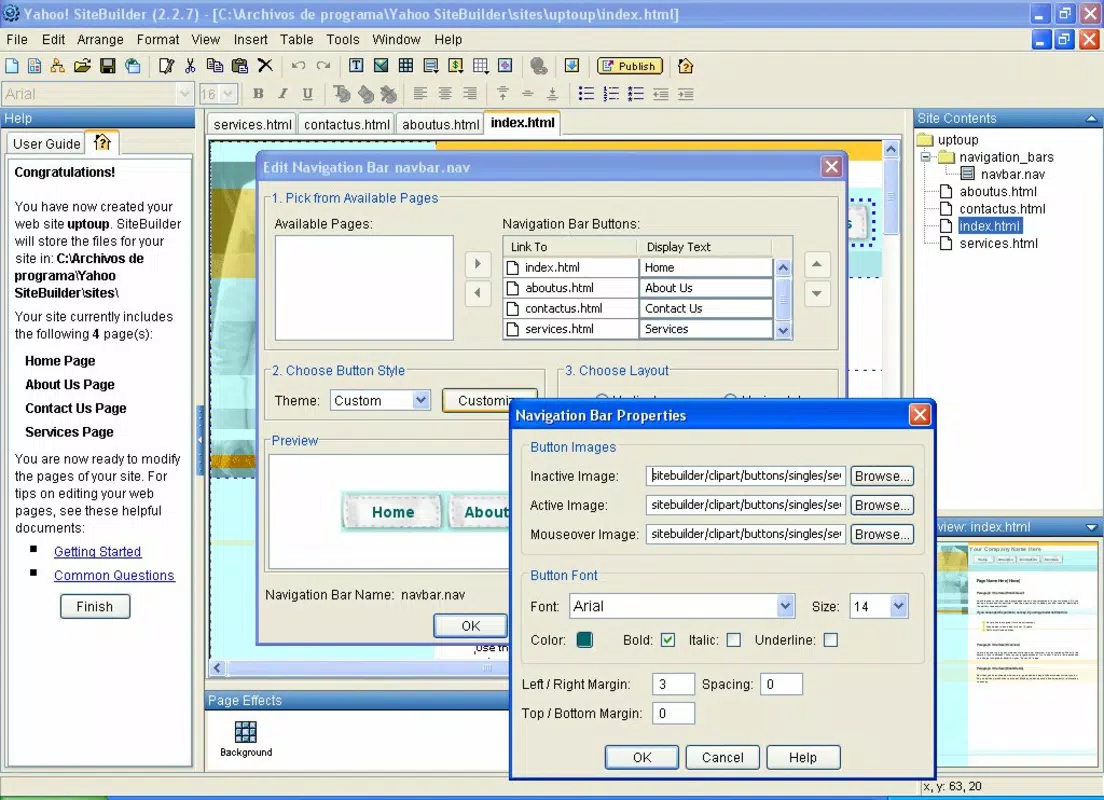
- User-Friendly Interface: The drag-and-drop functionality allows users to place elements like text, images, and buttons intuitively. This eliminates the learning curve typically associated with web development, enabling even first-time users to start building immediately.
- Extensive Template Library: With over 300 customizable templates, users can select from a wide range of themes tailored to different industries and purposes, such as photography, education, or retail. Each template is pre-designed with balanced layouts and responsive structures.
- Dynamic Effects: Users can enhance engagement by adding interactive features like bouncing images, animated page transitions, and cursor-following text balloons. These effects are applied without code, contributing to a more dynamic and memorable user experience.
- Integrated Payment Options: The app supports PayPal integration and donation buttons, allowing creators to monetize their websites directly. This is especially useful for non-profits, artists, or small vendors who want to accept contributions or payments without third-party tools.
- Comprehensive Tutorials: Built-in step-by-step guides walk users through every feature, from adding content to publishing the site. These tutorials ensure that users can maximize the app’s potential regardless of their experience level.
For example, a freelance photographer could use a template from the portfolio category, insert their images with drag-and-drop, apply a smooth fade transition between pages, and add a PayPal button for booking sessions—all within minutes. Similarly, a community organizer could launch a site for a local fundraiser using a donation button and a themed layout, all without writing a single line of code.
Interface, UX & Performance
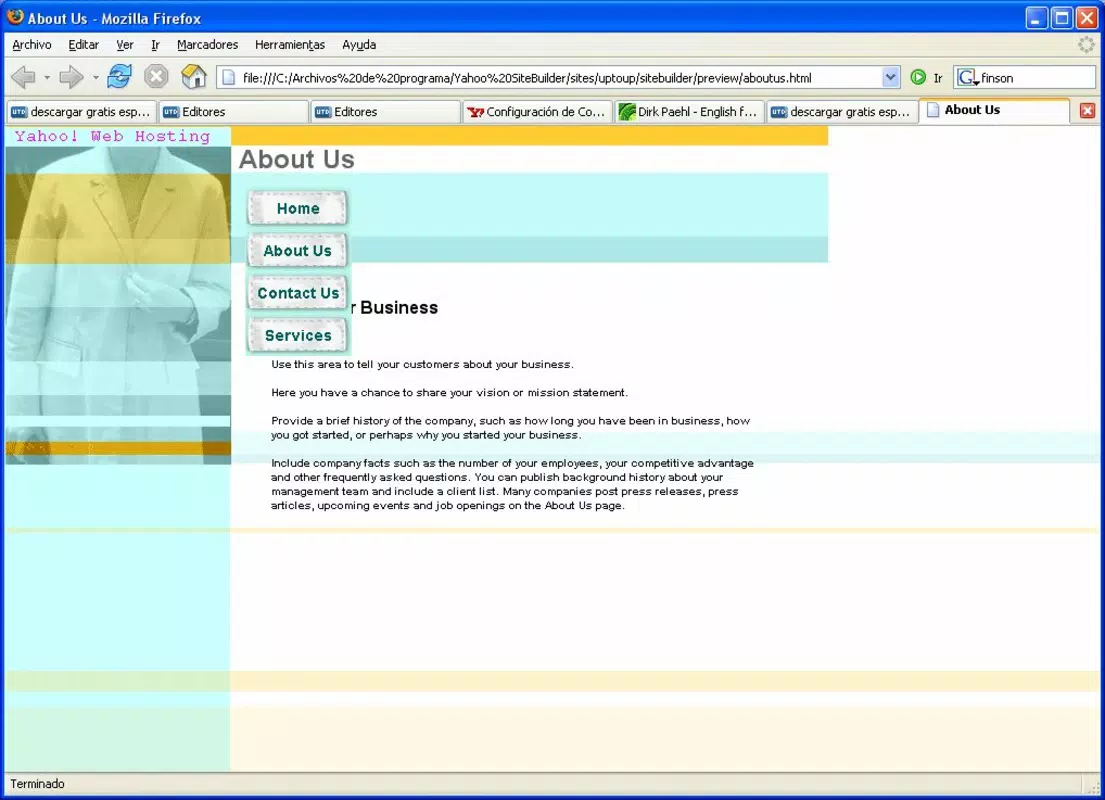
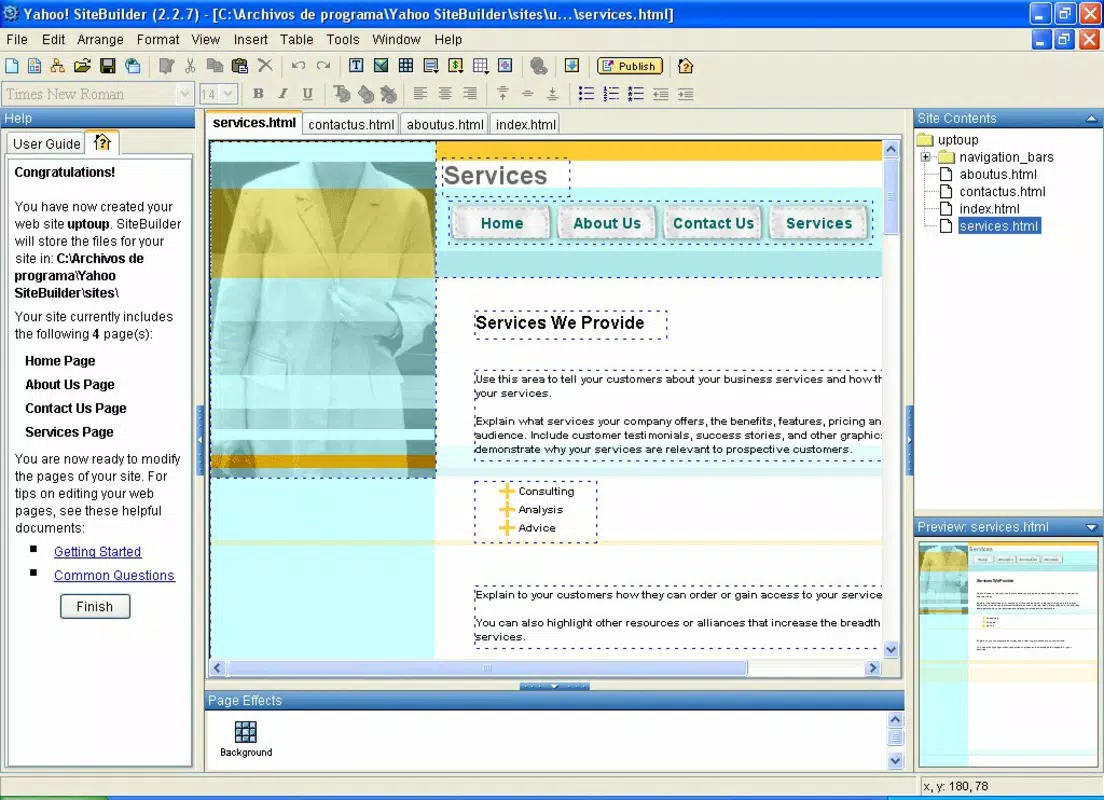
Yahoo Site Builder features a clean, minimalistic interface that prioritizes clarity and ease of navigation. The layout is organized into clearly labeled sections: a workspace for editing, a sidebar for content and design tools, and a preview panel for real-time visualization. The visual style is consistent with early 2000s web design aesthetics, emphasizing functionality over modern design trends. Navigation is straightforward, with intuitive icons and a logical flow from content creation to publishing.
Although the developer did not list formal performance metrics, the app’s lightweight file size of 256 KB suggests optimized loading and minimal resource consumption. This makes it accessible on older devices and slower internet connections. Responsiveness is expected to be adequate for basic tasks, though specific performance data across device categories was not disclosed.
Stability appears reliable given the app’s long release history, though no recent updates have been documented. Users can expect smooth operation for standard tasks like editing text, uploading images, and applying effects. However, the absence of real-time collaboration or cloud sync features may limit its use in team environments.
Platform Compatibility & Technical Requirements
Yahoo Site Builder is a web-based application, meaning it runs directly in a browser without requiring installation. It is compatible with modern web browsers across desktop and mobile platforms, although specific device or OS requirements were not listed. The app’s file size is 256 KB, indicating a lightweight footprint that minimizes bandwidth usage and storage demands. The version number is 2.0, suggesting a stable release with established features. The developer did not specify minimum OS requirements or supported platforms beyond the web-based nature of the application.
Given its web-based architecture, users can access the app from any device with internet connectivity, including tablets and smartphones. However, the interface may not be fully optimized for smaller screens, potentially limiting usability on mobile devices. Compatibility information was not fully disclosed, so users should test the app in their preferred environment. The absence of native app versions for Android or iOS means that access is limited to web browsers only.
Pros and Cons
Pros
- Free to use with no hidden costs
- Extensive library of over 300 customizable templates
- Intuitive drag-and-drop interface suitable for beginners
- Integrated payment options like PayPal and donation buttons
- Comprehensive built-in tutorials for self-guided learning
- Lightweight file size ensures fast loading times
Cons
- Web-based only; no native app for Android or iOS
- Outdated interface design may feel unmodern to some users
- Specific technical requirements were not listed
- Limited support for advanced customization or third-party integrations
- No recent updates or developer activity documented
FAQ
Is Yahoo Site Builder safe to use?
Yes, as a web-based tool developed by Yahoo, it operates through secure browser connections. Users should ensure they are accessing the official site to avoid phishing risks.
Can I use Yahoo Site Builder on my smartphone?
Yes, since it is web-based, you can access it on smartphones via a mobile browser. However, the interface may not be fully optimized for small screens.
Does Yahoo Site Builder require any downloads?
No, it is a web-based application. You only need a browser and internet connection to use it—no installation or APK files are required.
Is there a mobile app version available?
The developer did not provide a native mobile app for Android or iOS. Access is limited to web browsers on mobile devices.
How often is Yahoo Site Builder updated?
Specific update frequency was not disclosed. The last known version is 2.0, released in 2007, with no recent updates documented.
Final Thoughts
Yahoo Site Builder remains a viable option for individuals seeking a straightforward, no-code solution to create a website quickly. Its extensive template library, built-in tutorials, and integrated payment tools offer tangible value, especially for beginners or those with limited technical skills. While the interface may feel dated and the lack of recent updates raises questions about long-term support, the app continues to function as a reliable tool for basic web creation. For users who prioritize simplicity, cost-effectiveness, and immediate usability over modern design or advanced features, Yahoo Site Builder delivers consistent results. It’s particularly useful for launching personal projects, small business pages, or community initiatives without the complexity of traditional web development.
Download Yahoo Site Builder now


